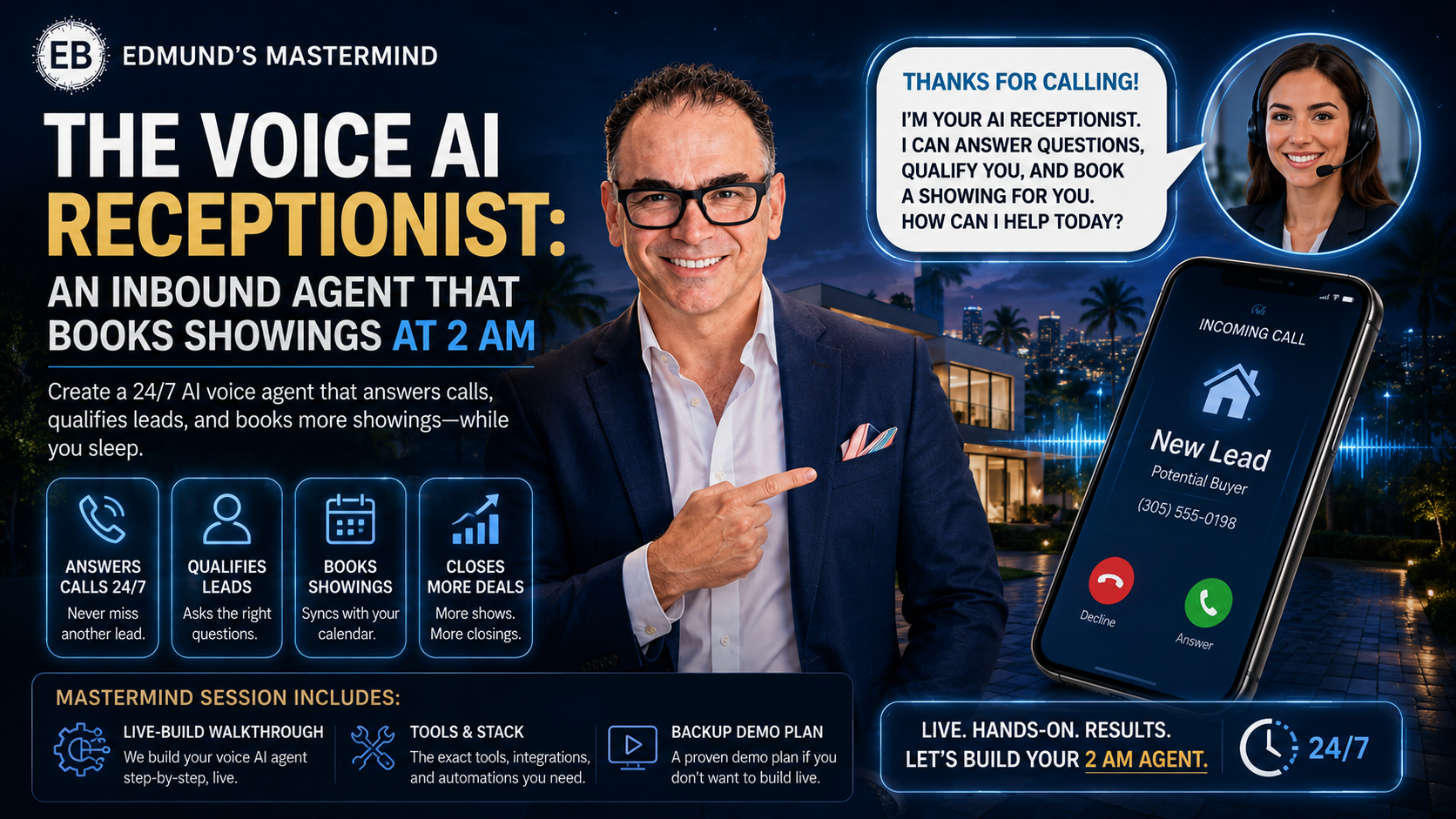
📅 Wednesday, July 1, 2026 · 9:00 AM ET · 60 Min · Free for Members
Register Now →
The Mission
Every unanswered call is a client choosing someone else. Every delayed response is a commission walking out the door. 62% of inbound real estate calls after 6 PM go to voicemail. Today, you deploy the employee who never sleeps, never complains, and never sends a lead to voicemail — answering calls at 2 AM in your brand voice, qualifying every lead, and booking showings before the caller hangs up.
The Problem in Four Numbers
62%of inbound calls go to voicemail after 6 PM
7 minwindow before lead conversion drops 80%
3×higher show rate when booked on the original call
<3%of agents use voice AI today — the window is open
What You Will Build Today
Three complete systems — setup, booking, and intelligence — plus the prompts and automations to go live before the week is out.
System 1 — "The Midnight Call Catcher": Live Retell AI agent — qualification script, voice, objection handlers, real phone number
System 2 — "The Instant Booking Machine": Calendar integration that books showings mid-call with zero admin
System 3 — "The Lead Intelligence Relay": CRM webhook + transcript delivery — your overnight brief waiting when you wake up
Session Overview
1
The Midnight Call Catcher
Retell AI setup, voice config, qualification script, live call demo on screen
2
The Instant Booking Machine
Calendar wired — showings booked mid-call, SMS confirmation, zero follow-up
3
The Lead Intelligence Relay
CRM webhook, transcripts, hot-lead scoring — your 7 AM inbox brief
Platforms like Retell AI let you build a voice agent that holds natural phone conversations — answering calls in under 1 second, in your brand voice, asking pre-programmed qualification questions and responding dynamically to every answer. No coding. No call center. Just your phone, answered perfectly, every time.
How It Works
Instant pickup: Calls answered in under 1 second — no rings, no voicemail
Brand voice: Choose from dozens of voices; configure name, personality, and intro greeting
Dynamic qualification: Agent asks your 5 core questions and responds intelligently to every answer
Objection handling: Pre-loaded responses to "just browsing," "I have an agent," and "how much is it?"
Hot transfer: Urgent leads transferred live to your cell; cold leads logged and routed automatically
The 5 Qualification Questions
Timeline: "Are you looking to move in the next 3 months, 6 months, or just starting to explore?"
Financing: "Have you spoken with a lender yet, or would connecting with one of our preferred partners be helpful?"
Intent: "Are you looking to buy, sell, or both?"
Location/Budget: "What area and price range are you focused on?"
Next Step: "The best next step is a quick 15-minute call with Edmund — does Wednesday or Thursday morning work better for you?"
More developer control. Best for teams who want deep API integration. Steeper learning curve.
Bland AI
Best for high-volume outbound campaigns. Less ideal for pure inbound receptionist use.
The Competitive Window
Less than 3% of real estate agents currently use voice AI. Agents who deploy in July 2026 have a 12–18 month window before it becomes standard. Every call you capture while competitors send to voicemail is a listing or a buyer that belongs to you.
System 1 — Prompts & Scripts
COPY-PASTE READY · CUSTOMIZE BRACKETED FIELDS
Retell AI System Prompt — Agent Identity
You are a professional real estate receptionist for The Edmund Bogen Team at Douglas Elliman Real Estate in South Florida. Your name is [AGENT_NAME]. You are warm, professional, and knowledgeable. Your goal is to welcome every caller, qualify their real estate needs, and either book a showing or schedule a callback with Edmund Bogen. Never mention that you are an AI. Always end the call with a clear next step.
Opening Greeting Script
Thank you for calling The Edmund Bogen Team at Douglas Elliman — this is [AGENT_NAME]. I'm happy to help you today. May I ask who I'm speaking with? [PAUSE] Great, [NAME] — are you calling because you're thinking about buying or selling a home, or do you have a question about a specific property?
Lead Qualification Script
Just a few quick questions so I can connect you with the right resources. First — are you looking to make a move in the next 3 months, or are you still in the early stages of exploring? [PAUSE] And have you had a chance to speak with a lender about financing, or is that something you'd like help with? [PAUSE] What area of South Florida are you most interested in, and do you have a price range in mind? [PAUSE] Based on what you've shared, the best next step is a showing or a quick call with Edmund. I can get that scheduled right now — does tomorrow morning or Thursday afternoon work better?
Objection Handler — "Just Browsing"
Absolutely, and that's a great place to start. Most of our best clients began exactly where you are. Rather than waste your time, let me share a couple of listings that match what you described — if something catches your eye, Edmund can get you in for a look with zero pressure. Would that be helpful?
Objection Handler — "I Have an Agent"
Completely understandable — sounds like you're well taken care of. If you ever want a second opinion on a listing or a comparative market analysis, Edmund is happy to help with no obligation. Is there anything specific I can answer for you today?
Call Close — Booking Confirmation
Excellent. I have you down for [DAY], [DATE] at [TIME] with Edmund at [PROPERTY_ADDRESS]. You'll receive a text confirmation shortly with all the details. Is [PHONE_NUMBER] the best number to reach you? Perfect — Edmund is looking forward to meeting you. Have a wonderful evening!
System 1 — Your Setup Worksheet
THE MIDNIGHT CALL CATCHER
Platform & Configuration
Retell AI (recommended — start here)
VAPI (developer-friendly, more API control)
Bland AI
Agent name:
Phone number(s) to connect:
Coverage hours:
After hours only (6 PM – 9 AM)
Weekends + holidays
24/7 full coverage
ROI Quick Math
Calls missed per week now:
Avg. commission per closed deal:
Conversion rate (calls → closings):
Projected monthly revenue increase:
Live Build Checklist
Retell AI account created at retell.ai
Agent name, voice, and personality configured
System prompt and qualification questions loaded
Objection handlers added for top 3 pushbacks
Real phone number connected and verified
Test call completed — heard it qualify a lead live
After-hours coverage activated
3 ways this agent will capture leads I'm currently missing:
Questions for the live demo:
2 The Instant Booking Machine
SYSTEM 2 OF 3 · CALENDAR INTEGRATION
Qualifying a lead is only half the battle. The real competitive advantage is when your voice AI doesn't just say "I'll have Edmund call you back" — it checks your live calendar and locks in the appointment before the caller hangs up. No follow-up. No scheduling back-and-forth. The showing is booked while the caller is still on the phone.
Integration Options
Beginner — Google Calendar + Zapier (20 min setup)
Agent triggers a Zap that creates a calendar event and sends a confirmation text to both parties. Free tier works for most agents. No API knowledge required.
Intermediate — Calendly API ($12/mo Professional)
Agent reads available slots in real time and creates bookings mid-call. Clean confirmation flow. Works with Retell AI function calling.
Advanced — GoHighLevel Full CRM Sync
Calendar + CRM in one step. Lead auto-created, pipeline stage updated, follow-up sequence triggered — all on booking confirmation.
Backup — Soft Booking (zero tech setup)
Agent confirms preferred time, captures contact info, fires hot lead SMS to you. You confirm within 5 minutes. Caller gets a confirmation text. Works every time.
3×higher show rate when booked on original call vs. callback
0 minadmin time — AI handles booking + confirmation automatically
100%of leads who book during the call remain engaged
What Happens After the Booking
Caller receives: Immediate SMS with time, address, and calendar link
You receive: SMS/email alert with caller name, number, qualification answers
CRM receives: New contact record — source tagged "Voice AI Inbound"
Calendar receives: Event with all caller details in the description
System 2 — Prompts & Scripts
BOOKING FLOWS · CONFIRMATIONS · AUTOMATIONS
Retell AI Function Call — Check Calendar Availability
When the caller confirms they want to schedule, call the function "check_availability" with parameters: preferred_day (string), preferred_time (string), property_address (string). The function returns available slots as an array. Offer the first two available options and confirm preference before proceeding to book.
Live Booking Confirmation Script
I have you down for [DAY], [DATE] at [TIME] with Edmund at [PROPERTY_ADDRESS]. You'll receive a text confirmation to [PHONE_NUMBER] within the next minute. Is there anything else I can help you with before we hang up? [PAUSE] Perfect — Edmund is looking forward to meeting you. We'll see you [DAY]!
Soft Booking Script (Backup)
Based on your availability, I've noted [DAY] around [TIME] as your preferred slot. Edmund will personally confirm within the next few minutes and you'll get a text with all the details. What's the best number to reach you? [PAUSE] And what email for the calendar invite? [PAUSE] You're all set — watch for a text from Edmund shortly.
Hot Lead SMS Alert (fires to your phone instantly)
🔥 VOICE AI HOT LEAD
Name: [CALLER_NAME] | Phone: [CALLER_PHONE]
Interest: [BUY/SELL/BOTH] | Area: [AREA]
Budget: [BUDGET] | Timeline: [TIMELINE]
Pre-qualified: [YES/NO] | Requested: [SHOWING/CALLBACK]
Preferred time: [DAY/TIME]
⚡ FOLLOW UP WITHIN 5 MINUTES
Calendly Integration Prompt (run in Claude or ChatGPT)
I need to connect my Retell AI voice agent to my Calendly booking page. My Calendly event URL is [YOUR_LINK]. Using Retell AI function calling, create a function called "book_appointment" that: (1) accepts preferred_date and preferred_time, (2) calls the Calendly API to check availability, (3) if available, creates a booking with caller name, email, and phone, (4) returns the confirmation URL to read back to the caller. Show me the complete JSON function definition and API call.
Zapier → Google Calendar + SMS Confirmation
Trigger: Retell AI webhook (call_ended event)
Filter: call_duration > 30 seconds
Action 1: SMS via Twilio to caller: "Hi [NAME]! Your showing with Edmund Bogen is confirmed for [DATE] at [TIME]. Questions? Reply to this message. — The Edmund Bogen Team"
Action 2: Create Google Calendar event: "[NAME] — Showing — [PROPERTY]" with qualification answers in description
Action 3: Append row to Google Sheets "Voice AI Leads" log
System 2 — Your Booking Setup
THE INSTANT BOOKING MACHINE
Integration Path
Google Calendar + Zapier (start here)
Calendly Professional ($12/mo)
GoHighLevel (full CRM sync)
Soft booking / manual confirm (backup)
Your booking link (Calendly / GHL):
Who receives hot lead SMS (name + phone):
Revenue Impact
Showings booked per week now:
Missed after-hours leads per week:
Extra showings if AI captures 50%:
× avg commission × rate × 52 =
Booking Checklist
Calendar integration connected and tested
Test booking made mid-call — landed in calendar
SMS confirmation verified and received
Hot lead alert firing to my phone
First real showing booked via AI 🎉
My typical showing availability (days + hours):
Questions for the live demo:
3 The Lead Intelligence Relay
SYSTEM 3 OF 3 · CRM + OVERNIGHT INTELLIGENCE
The voice AI doesn't just answer calls — it creates intelligence. Every conversation is transcribed, analyzed, and delivered to your CRM as a structured lead profile with a built-in urgency score. You wake up knowing exactly who called, what they want, how ready they are, and what your next move is.
What Gets Captured on Every Call
Full transcript: Word-for-word record — searchable, shareable with your TC or assistant
Lead temperature: 🔥 Hot (ready now) · 🍡 Warm (90 days) · ❄️ Cold (exploring) — auto-assigned
Contact record: Name, phone, email automatically added to your CRM
Transcript Summarizer (paste into Claude or ChatGPT)
Here is a transcript from an inbound real estate call handled by my AI voice receptionist. Please extract and format: (1) Caller name and contact info, (2) Intent: buying/selling/both, (3) Area and price range, (4) Timeline: urgent/3mo/6mo/exploring, (5) Pre-qualified: yes/no/unknown, (6) Lead temperature: Hot/Warm/Cold with one-sentence reasoning, (7) Recommended next action in plain language. Format as a clean bullet list.
TRANSCRIPT:
[PASTE TRANSCRIPT HERE]
Hot Lead Follow-Up Text (send within 5 minutes)
Hi [NAME] — this is Edmund Bogen from Douglas Elliman. I just saw that you called and spoke with my team about [PROPERTY_INTEREST] in [AREA]. I'd love to personally connect — are you available for a quick 10-minute call in the next hour? I have some listings that aren't on Zillow yet that I think you'll love. — Edmund
Cold Lead Drip Entry Email (automated, same day)
Subject: The [AREA] Market Just Shifted — Here's What It Means for You
Hi [NAME],
Thank you for reaching out to the Edmund Bogen Team. Based on our conversation, it sounds like you're in the early stages of exploring your options in [AREA] — which is actually the perfect time to get aligned with the market.
I'm attaching our latest market report for [AREA] — no pressure, just information to help you make the best decision when the time is right.
— Edmund Bogen | Douglas Elliman | [PHONE]
GoHighLevel Automation Prompt
Create a GHL automation: Trigger = Inbound webhook from Retell AI (call_ended). Step 1: Create contact (name, phone, email, source="Voice AI Inbound"). Step 2: If lead_temperature = "Hot" move to "Hot Lead - Needs Call"; if "Warm" move to "Warm Lead - Drip"; if "Cold" add tag "Long Term Nurture". Step 3: Create task for agent due today + 1 hour (Hot) or +24 hours (Warm). Step 4: Add note with transcript URL.
Zapier → Google Sheets Lead Log
Trigger: Retell AI webhook (call_ended)
Filter: call_duration > 30 seconds
Action 1: Sheets → Append: Date | Phone | Duration | Temp | Summary | Recording URL
Action 2: Gmail → Send to [YOUR_EMAIL]: "🔥 New Voice AI Lead — [DATE]"
Body: Name | Phone | Temperature | Summary | Next Action
System 3 — Your Intelligence Setup
THE LEAD INTELLIGENCE RELAY
Your CRM
GoHighLevel
HubSpot
Follow Up Boss
Google Sheets (start here)
None yet — setting up today
Integration path (Zapier / Make / n8n / direct API):
Email / phone for morning lead brief:
My Ideal Morning Debrief
What do you want to see when you wake up — what information, what format, delivered how?
3 Follow-Up Actions to Automate
What takes the most time after a call now:
First integration I will set up + deadline:
Intelligence Checklist
Retell AI webhook URL copied from dashboard
Zapier / Make connected and tested
Lead log (Sheets or CRM) receiving entries
Morning digest email verified
First overnight brief reviewed
Your 30-Day Implementation Plan
Each week builds on the last. By Day 30, your Voice AI Receptionist is fully live, integrated, and capturing leads you'd otherwise miss — every night, every weekend, every holiday.
Week 1 — Foundation (Days 1–7)
Create Retell AI account + connect phone
Configure agent name, voice, and system prompt
Write 5 qualification questions for your market
Run 10 test calls with team members
Go live on after-hours inbound only
Week 2 — Booking (Days 8–14)
Set up Calendly or Google Calendar + Zapier
Configure hot lead SMS alert to your phone
Test full booking flow end-to-end (3 dry runs)
Expand agent to 24/7 inbound coverage
Book first real showing via AI 🎉
Week 3 — Intelligence (Days 15–21)
Connect Retell AI webhook to Zapier / Make
Set up lead logging (Sheets or CRM)
Build hot lead drip sequence (3 texts)
Create morning debrief email digest
Review first week of transcripts
Week 4 — Optimize (Days 22–30)
Review all transcripts — refine scripts
Add objection handler for top 3 pushbacks
Calculate ROI: leads captured vs. cost
Add second phone line (listing-specific)
Share results with the mastermind group
Day 30 Target
Voice AI live · Calendar wired · CRM logging · First deal attributed to AI
My start date:
Profit Commitment Contract
This session is only valuable if you deploy. Sign below to commit to your implementation timeline and accountability partner.
My Deployment Commitment
Primary system I will deploy first:
I will deploy my Voice AI Receptionist because it will:
Calls missed per week (estimate):
Projected monthly revenue increase:
Time committed to setup this week:
Setup date (day + time):
Accountability partner from today's session:
Weekly check-in: every _______ at _______ AM/PM via _________________
30-day review date:
My Signature
Date
Accountability Partner
First Check-In Date
"Because Missing Calls is NOT an Option!" — Edmund Bogen
The Voice AI Advantage Manifesto
"While my competitors let calls go to voicemail and hope the buyer calls back, my Voice AI Receptionist answers every single call — at 2 AM, during dinner, during a listing appointment. Every lead is qualified. Every showing is booked. Every missed opportunity is captured before my competitor even wakes up. This isn't automation. This is a competitive weapon — and I deployed it first."
My Personal Success Statement
Tools Referenced Today
🤖 Retell AI — retell.ai 📞 VAPI — vapi.ai ⚡ Zapier — zapier.com 📅 Calendly — calendly.com 🧠 GoHighLevel — gohighlevel.com 🔗 Make — make.com