
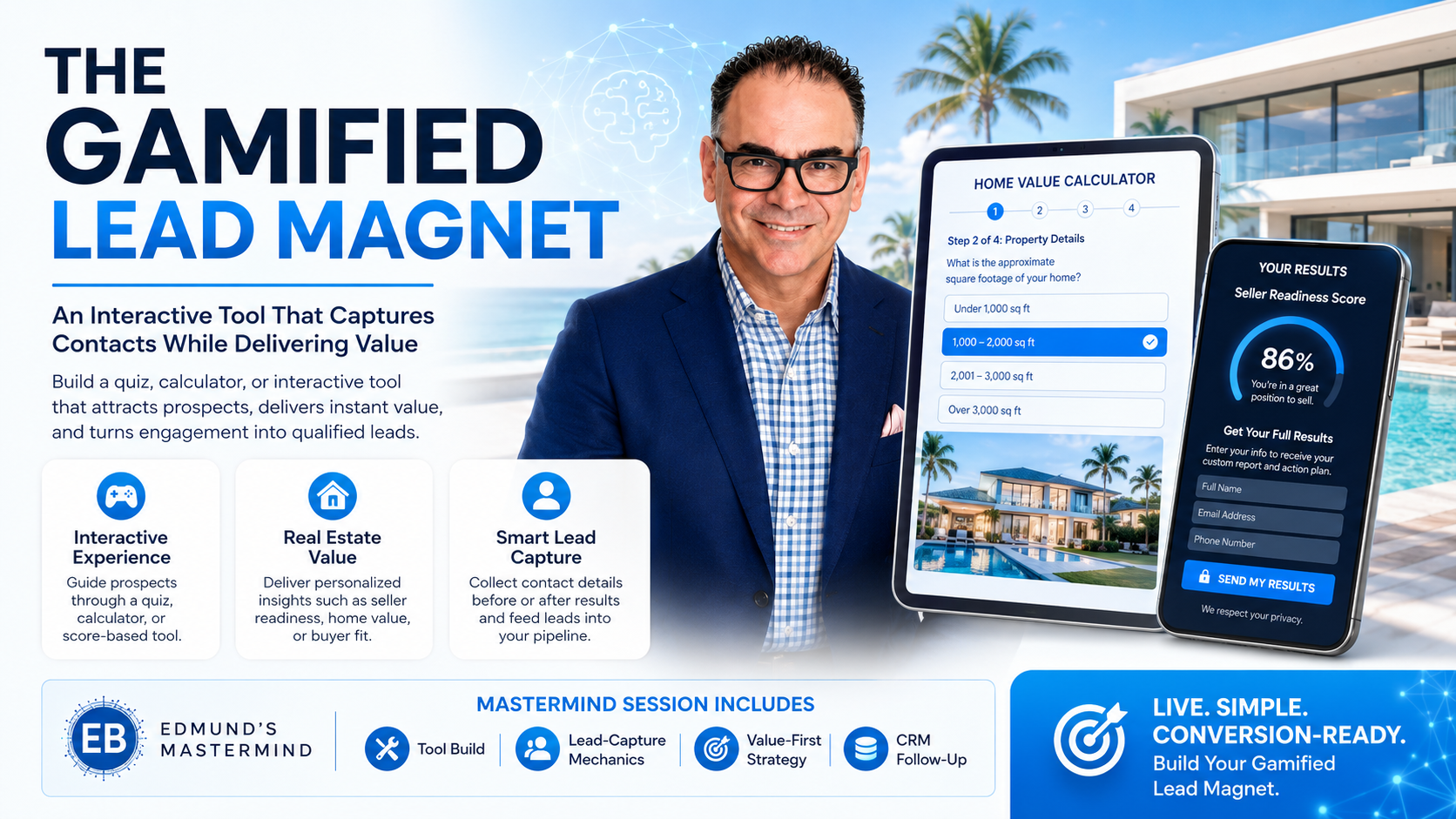
🎯 The Gamified Lead Magnet
Wednesday, July 8, 2026 · 9:00 AM EST · 60 min
Join Zoom
Gamified Lead Magnet — Implementation Workbook
Edmund's Mastermind · Live Workbook
The Gamified Lead Magnet

The Gamified Lead Magnet

An Interactive Tool That Captures Contacts While Delivering Value

Build a quiz, calculator, or interactive tool that attracts prospects, delivers instant value, and turns engagement into qualified leads.

🎮
Interactive Experience Guide prospects through a quiz, calculator, or score-based tool.
🏡
Real Estate Value Deliver personalized insights — seller readiness, home value, or buyer fit.
👤
Smart Lead Capture Collect contact details before or after results and feed leads into your pipeline.
Wednesday, July 8, 2026
9:00 AM EST · 60 Minutes
Recording Available
Session Includes: 🔧 Tool Build | 👥 Lead-Capture Mechanics | 🎯 Value-First Strategy | 🔄 CRM Follow-Up
🎯
Live. Simple. Conversion-Ready. Build Your Gamified Lead Magnet.
🎬

Watch the Session Recording

The full July 8 live session — all three systems built start to finish

🎯

Your Money-Making Mission

The numbers that make today's session non-negotiable

Quiz Completion
96%
of people who start a quiz finish it
vs. Static Content
interactive tools convert at double the rate of PDFs
PDFs Actually Read
<3%
your "free guide" download is dead on arrival
Bought Leads/Year
$5K+
average agent spend, shared with 3–5 competitors

The 3 Systems You're Building Today

1
🎯 The Buyer Readiness Quiz Machine A scored quiz that tells buyers exactly where they stand — and tells you who's ready to transact, with intent data and zero ad spend.
2
🏡 The Home Value Intelligence Calculator An AI-powered estimator that delivers instant personalized value to sellers — capturing every homeowner who wants to know what their home is worth.
3
🔄 The Automated Contact Capture Loop A follow-up engine that converts tool users into long-term nurture sequences — triggered automatically by score, result, and engagement.

My #1 Goal for This Session

My Current Lead Generation Problem

🎯

System 1 — The Buyer Readiness Quiz Machine

A scored quiz that qualifies buyers and captures leads with intent data

1
System 1 of 3 · Buyer Readiness Quiz

Why This Works

Quizzes are the only lead magnet where the user actively participates. Every question answered is a micro-commitment. By the time they reach the results gate — where they enter their email to see their score — they've already invested time and are emotionally engaged. That's why 96% of quiz starters finish.

The result you deliver is the value. The contact information is the exchange. Unlike a PDF, the user gets something personalized and instant — and you get a lead with context: their score tier, what their answers revealed, and how ready they are to transact.

The 3-Tier Scoring Model

🔴 Dreaming · 6–12 pts
🟡 Preparing · 13–18 pts
🟢 Ready · 19–24 pts
Typeform ScoreApp Interact Notion Form Custom Build Other
💬

System 1 — AI Build Prompts

Copy each prompt → paste into ChatGPT or Claude → fill in [ ] with your details

Run these prompts live during the session. Fill in the brackets with your market, your city, your voice.

Prompt 1 — Quiz Framework
"Create a 6-question buyer readiness quiz for real estate buyers in [your market]. Each question should have 4 answer options with weighted scores (1–4 points each). Total scores: 6–12 = [Dreaming tier name], 13–18 = [Preparing tier name], 19–24 = [Ready tier name]. Include a short explanation of what each tier means for the buyer's timeline and one specific next step for each tier."
Prompt 2 — Result Page Messages (3 tiers)
"Write 3 result page messages for my buyer readiness quiz — one for each score tier ([Dreaming], [Preparing], [Ready to Buy]). Each message should: (1) validate where they are without judgment, (2) give one specific next step, (3) include a CTA to schedule a free consultation with me at [your booking link]. Tone: warm, expert, not pushy. Under 80 words each."
Prompt 3 — Email Gate Copy
"Write the gate copy shown before quiz results. It should explain that I'm emailing them a full personalized breakdown and action plan for their exact situation. Include form labels for: First Name, Email, Phone (optional). Frame the email gate as added value, not a barrier. Keep it under 40 words above the form. My name: [Your Name], market: [City/Area]."
Prompt 4 — Social Promotion Post
"Write a social media post promoting my free buyer readiness quiz for buyers in [market]. Lead with a curiosity hook, add 3 benefit bullets, and close with a CTA with [quiz link]. Versions for: Instagram (150 words, no hashtag spam), Facebook, and LinkedIn (200 words). Voice: confident but approachable."

My AI Output Notes

✏️

System 1 — Live Build Worksheet

Fill this in during the session — by the end of System 1 you'll have all 6 questions drafted

Build your quiz questions here as Edmund walks through the framework. A = 1 pt (earliest stage) · D = 4 pts (most ready).

Question 1
A
B
C
D
Question 2
A
B
C
D
Question 3
A
B
C
D
Question 4
A
B
C
D
Question 5
A
B
C
D
Question 6
A
B
C
D

My Result Page Messages

🏡

System 2 — The Home Value Intelligence Calculator

An AI-powered estimator that captures seller leads by delivering instant, personalized value

2
System 2 of 3 · Home Value Calculator

Why This Beats "Get a Free CMA"

Every seller wants to know what their home is worth. "Call me for a free CMA" requires them to trust you before you've given them anything — it asks for commitment before delivering value. The calculator flips the sequence.

The seller enters their property details and gets an instant AI-generated value range — immediately, no human required. They got value. You got their information, their address, and their intent signal. The CMA offer now lands as a natural next step, not a cold ask.

What the Calculator Collects

  • Address or ZIP code — geographic anchoring for the estimate
  • Bedrooms, bathrooms, square footage — core valuation inputs
  • Year built + last renovation — depreciation and upgrade adjustments
  • Condition rating — needs work / average / good / excellent
  • Email + name — gated before showing the full value breakdown

My Calculator Setup

Typeform ScoreApp HouseCanary Homebot Custom / AI Other
💬

System 2 — AI Build Prompts

Build your calculator logic, results copy, and follow-up emails with these prompts

Prompt 1 — Calculator Logic
"Build a home value estimator for real estate sellers in [your market]. Inputs: address/zip, bedrooms, bathrooms, sqft, year built, last renovation (yes/no), condition (needs work / average / good / excellent). Output: estimated value range (±15% from median), confidence score (low/medium/high), and 3 factors most affecting accuracy. Add a note: 'For a precise number, request a free CMA from [Your Name].'"
Prompt 2 — Automated Results Email
"Write the automated email sent after someone uses my home value calculator. It should: (1) acknowledge their specific property using merge fields {{address}} and {{value_range}}, (2) explain the 3 main factors that affect valuation accuracy, (3) offer a free, no-obligation CMA at [booking link]. Give me 5 subject line options. Body under 200 words. From: [Your Name], [Your Company]."
Prompt 3 — 3-Email Follow-Up Sequence
"Write a 3-email follow-up sequence for calculator users who haven't booked a CMA. Email 1 (Day 3): a market update for their ZIP code with one key stat. Email 2 (Day 7): a story — a seller who waited vs. one who listed at peak. Email 3 (Day 14): direct CTA with urgency. Under 150 words each. Professional but conversational. Signed by [Your Name]."
Prompt 4 — Facebook Ad Copy
"Write a Facebook ad for my free home value calculator targeting homeowners in [market]. Primary text: curiosity hook + 2 benefit bullets + CTA with [calculator link] (under 125 words). Headline: 5 options under 40 chars. Description under 25 words. Target: homeowners 35–65, [city/state], homeownership interest. My name: [Name]."

My Calculator Notes

✏️

System 2 — Live Build Worksheet

Map your calculator flow — inputs, email gate, result screen, and CMA CTA

My Calculator Inputs (check what you'll use)

My Email Gate Message

My 3 Result Factors (what I explain in the results page)

My CMA CTA

My 3-Email Sequence Notes

🔄

System 3 — The Automated Contact Capture Loop

A follow-up engine that converts tool users into long-term nurture sequences

3
System 3 of 3 · Automation Loop

The Automation Architecture

  • Trigger A — Quiz: Dreaming (6–12 pts): 6-month educational drip. Monthly market updates, first-time buyer tips, lender intro at Day 30.
  • Trigger B — Quiz: Preparing (13–18 pts): 3-month active sequence. CMA offer, listing alert setup, lender pre-approval CTA at Day 14.
  • Trigger C — Quiz: Ready to Buy (19–24 pts): Immediate booking sequence. Day 1: consultation link. Day 3: SMS reminder. Day 7: call task.
  • Trigger D — Calculator Used: 3-email CMA sequence (Days 3, 7, 14). At Day 14: if no booking, moves to long-term seller nurture.
  • Trigger E — Re-Engagement (Day 60+): All contacts who never booked. Personalized by tool type with fresh urgency hook.

My CRM / Automation Tool

GoHighLevel ActiveCampaign HubSpot Mailchimp Zapier Follow Up Boss Other

CRM Tags to Create

💬

System 3 — AI Build Prompts

Generate your automation map, CRM tags, and re-engagement sequences

Prompt 1 — Automation Map
"Design an automation map for my real estate lead magnet funnel. Entry points: (1) buyer quiz with 3 score tiers — [Dreaming/Preparing/Ready names], (2) home value calculator. For each entry point, write: trigger conditions, first 3 follow-up message descriptions, timing (Day X), and goal of each message. Format as a trigger → action → timing table I can build in [your CRM]."
Prompt 2 — CRM Tagging System
"Create a CRM tagging system for my real estate lead magnet funnel. Tags needed: (1) source — quiz-buyer or calculator-seller, (2) readiness tier — dreaming/preparing/ready, (3) engagement level — opened/clicked/booked. Format: Tag Name | Trigger Condition | Downstream Action. Built for [your CRM]. Keep tag names under 20 characters."
Prompt 3 — Re-Engagement Email (Day 60+)
"Write a re-engagement email for real estate contacts who used my lead magnet 60+ days ago but never booked. Two versions: (1) for quiz takers — reference their score tier by name, (2) for calculator users — reference their home value request. 3 subject line options each. Body: 120–150 words. Warm, not desperate. Signed: [Your Name], [City] Real Estate."
Prompt 4 — Ready to Buy Booking Sequence
"Write a 3-message sequence for 'Ready to Buy' quiz scorers (19–24 pts) to book a consultation within 7 days. Message 1 (email, Day 1): results summary + immediate CTA with [booking link]. Message 2 (SMS, Day 3): short reminder with link. Message 3 (email, Day 7): social proof story + soft urgency. Under 100 words each. From: [Name]."
✏️

System 3 — Live Build Worksheet

Map your automation triggers — start with one and build from there

My Automation Trigger Map

Fill in the Day 1 and Day 3–7 actions for each trigger. The "Ready to Buy" row is pre-filled as an example.

Trigger Day 1 Action Day 3–7 Action Goal
Quiz: Ready
Quiz: Preparing
Quiz: Dreaming
Calculator
Day 60 Re-Engage

The ONE Automation I'm Building First

📅

30-Day Implementation Plan

From zero to a live gamified funnel capturing leads — one week at a time

Week 1 — Build
Week 2 — Connect
Week 3 — Launch
Week 4 — Optimize

My ROI Targets

✍️

Commitment Contract

The gap between knowledge and results is commitment — sign this before you leave

I commit to:

The ONE Tool I'm Building First

🎯 Buyer Readiness Quiz Machine 🏡 Home Value Intelligence Calculator

My Accountability Partner

My Biggest Obstacle — and How I'll Handle It

The Lead Ownership Manifesto

I do not rent attention.
I own it.

Every agent who buys leads is paying for someone else's audience. They're renting — and rents always go up. The platforms know it. The lead vendors know it. And somewhere, quietly, the agents who built their own tools know it too.

The Gamified Lead Magnet is not a tactic. It's a decision. A decision to stop being dependent on Zillow, on Facebook lead forms, on purchased contact lists that get sold to five other agents the same day.

When someone takes your quiz, they're not just opting in — they're telling you who they are and what they need. When someone uses your calculator, they're raising their hand as a seller. You didn't buy that signal. You earned it.

"Because Buying Leads When You Can Own Them is NOT an Option!"

— Edmund Bogen · Edmund's Mastermind · Bogen.ai