


Video Production on a Caveman's Budget — One Login · Every AI Video Model · Your Own On-Camera Twin
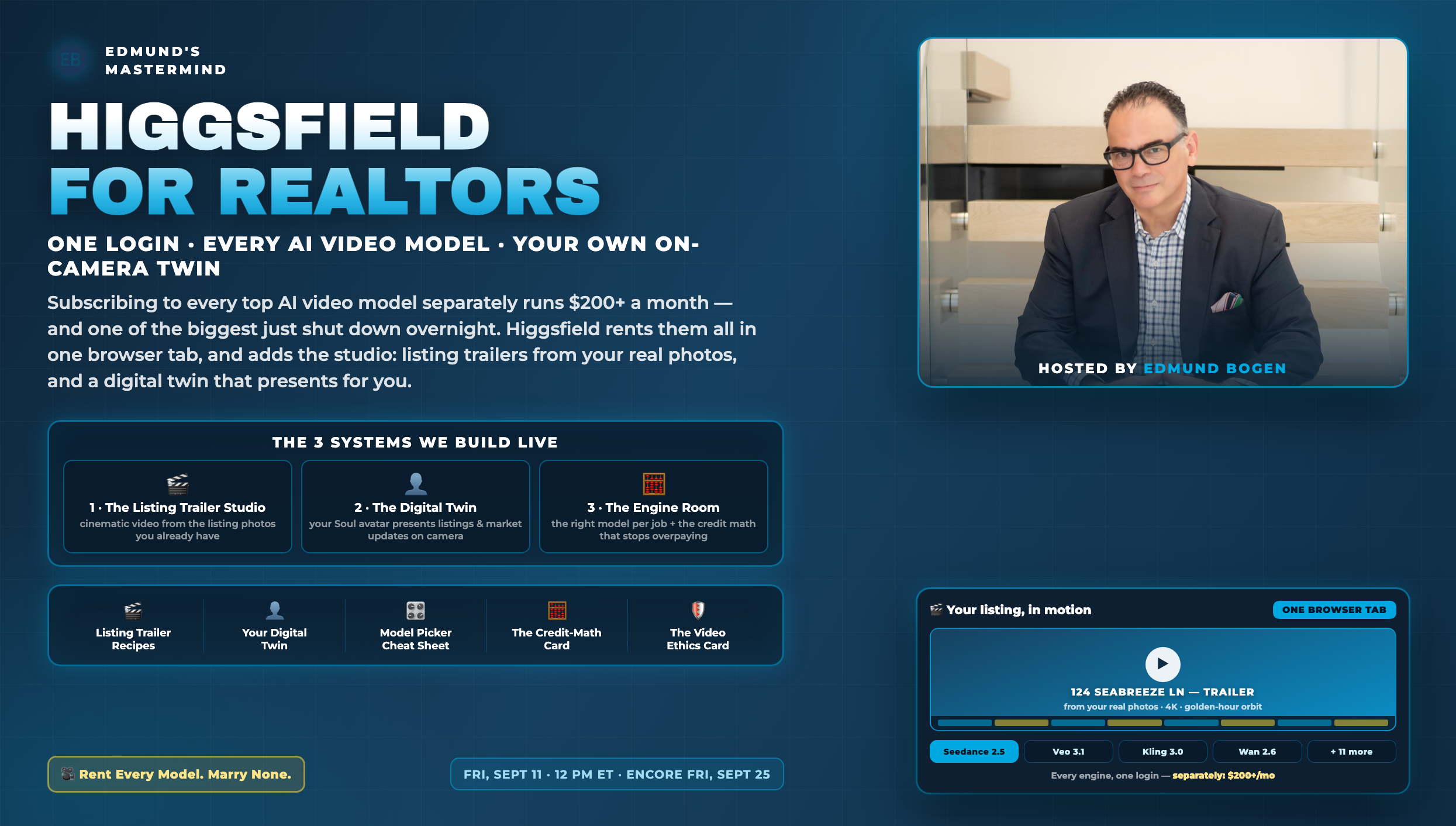
AI video finally crossed the line from party trick to listing tool — but the market is chaos: subscribing to every top model separately runs $200+ a month, the credit systems are designed to confuse you, and one of the biggest names just shut its doors overnight. Higgsfield is the rental desk: fifteen-plus engines — Seedance 2.5, Veo 3.1, Kling 3.0 and more — behind one login, plus the studio layer none of them have: cinematic camera presets for listing trailers built from your real photos, and a photoreal digital twin that presents your listings and market updates on camera while you're at a showing. This session builds your whole video operation: the trailer recipes, your twin, and the engine-room math that keeps you from ever overpaying.
The full live build — blank ChatGPT window to a finished cinematic scene with Higgsfield. The encore session (September 25) is below.
The second live run of the session — listing trailers, the digital twin and the credit math, built again on screen for the encore room
Four numbers that explain why this is the month to add video
AI video sells trust only if every frame is honest about what it is
Video is the most persuasive medium you own — which is exactly why the rules matter more here than anywhere. Six rules, wired in before the first render:
| Rule | What It Means in Practice |
|---|---|
| The listing must stay true | Adding motion, light, and atmosphere to real photos of the real property is marketing. Inventing rooms, furniture, views, or square footage is misrepresentation — MLS rules and license law both apply. The test: could a buyer walk the property and feel deceived by your trailer? Then don't ship it. |
| Disclose the twin | Your avatar is a production tool, not a disguise. Own it proudly — "that's my AI twin, it films while I sell" is a great line — and if a client directly asks whether a video was live-recorded, tell the truth. The twin builds leverage; the honesty builds trust. |
| Never fake a person | UGC-style avatar ads present YOUR message in a casual format — they must never impersonate a real client or fabricate a testimonial. Invented "happy buyer" reviews violate FTC endorsement rules and destroy trust permanently. Real testimonials come from real clients, on camera or in writing, with permission. |
| Real numbers only | A market-minute video makes a stat MORE memorable — verify every figure against your MLS before your twin says it, and date it on screen. A confident avatar delivering a wrong number is worse than no video at all. |
| Fair housing applies to every frame | Depict property, place, and lifestyle — never who "belongs." That governs the scenes you generate AND the avatar casting choices you make for ads. Run every script and scene through the same lens a written ad would get. |
| Rights to the pixels | Only animate photos you have rights to: your own listing shoots (check your photographer agreement covers derivative use), your own phone photos, your own headshots for the twin. Never animate another agent's photos, MLS photos of homes you don't represent, or images of people without a yes. |
The point, stated plainly: AI video amplifies whatever you feed it. Feed it real photos, real numbers, and your real face — and it amplifies trust. That's the entire strategy.
Cinematic video from the listing photos you already paid for
The old economics of listing video were brutal: a videographer shoot runs $300–800 per property, takes days to schedule, and most agents reserve it for the million-dollar listings — which means most listings get a photo carousel and silence. Cinema Studio flips the math. Your existing listing photos become the first frame of each shot; the AI adds camera movement (30+ presets — orbits, dollies, crane-ups), light, and atmosphere; Video Extend bridges shots into sequences; and a color grade from 50+ palettes makes the whole thing feel like one film. Every listing — not just the trophy ones — gets a trailer, the day the photos arrive, for a handful of credits.
The integrity rule is what makes this durable: every shot starts from a real photo of the real property. You're adding cinematography, not fiction — the drone-style flyover comes from your actual exterior shot, the room reveal from your actual room. Buyers arrive and the house is exactly what the trailer promised. That's not just compliance; it's the reputation play.
| Shot | Source Photo | The Move |
|---|---|---|
| 1 · ESTABLISH | Best exterior, golden hour if you have it | Slow orbit or crane-up — the "wow, what is this place" opener |
| 2 · WELCOME | Front door / entry | Push-in dolly toward the door — the invitation |
| 3 · REVEAL | Hero room (great room / kitchen) | Wide push-in or lateral glide — let the space breathe |
| 4 · DETAIL | The memorable feature (pool, view, range) | Slow close move + living atmosphere: water, steam, light |
| 5 · LIFE | Outdoor living / neighborhood moment | Gentle drift — the "your Saturday here" shot |
| 6 · CLOSE | Twilight exterior or best angle repeat | Pull-back + title card: address, open house, your name |
Each recipe = one shot · upload the photo as the first frame, paste the recipe
Run these in Higgsfield's Cinema Studio (or image-to-video with any engine). Upload your real listing photo as the first frame, then paste the recipe. The bracketed parts are yours to fill.
Using the uploaded exterior photo as the first frame: a slow, smooth cinematic orbit arcing right around the home, camera at eye level rising gently to a slight elevated angle. Golden-hour warmth, long soft shadows, gentle movement in the trees and landscaping. Preserve the property's actual architecture, colors, and landscaping exactly as photographed — add only camera motion, light, and atmosphere. No new structures, furniture, or features. 8 seconds, subtle and elegant — luxury listing-film energy, not action-movie energy.
Using the uploaded entry photo as the first frame: a steady, slow dolly push-in toward the front door, as if a welcomed guest is arriving. Warm inviting light glowing from the entry, a gentle breeze in any plants, faint natural movement only. Keep the door, hardware, materials, and surroundings exactly as photographed — camera motion and light only, nothing added or altered. 6 seconds, smooth gimbal feel.
For each interior photo, one per generation: a slow, wide cinematic push-in from the doorway perspective, letting the room open up and breathe — soft natural light through the actual windows, curtains barely moving, everything else still. The room's real layout, furniture, finishes, and window views stay exactly as photographed. 5–6 seconds per room. Then use Video Extend's bridge mode to connect the rooms in walking order — entry to great room to kitchen to primary — so the sequence feels like one continuous private tour.
Using the uploaded feature photo as the first frame [POOL / KITCHEN / VIEW / FIREPLACE]: a very slow, intimate camera move toward the feature while its natural atmosphere comes alive — [water surface catching light and rippling gently / steam rising from a coffee cup on the counter / clouds drifting slowly past the view / firelight flickering warm]. Atmosphere and motion only: the feature itself, its materials, and everything around it stay exactly as photographed. 6 seconds. This is the shot buyers rewatch — make it feel like a held breath.
Using the uploaded street or neighborhood photo as the first frame: a gentle rising crane move, as if lifting off from the sidewalk to reveal the tree-lined street in morning light — leaves moving softly, warm and peaceful, the feeling of a Saturday walk. The actual street, homes, and trees stay exactly as photographed; add only camera lift, light, and gentle life. 6 seconds. (Pull the location from your Landmark Library if you built one — the market, the park, the corner everyone loves.)
Assemble the six shots in story order — establish, welcome, reveal chain, detail, life, close — with Video Extend bridging any rough cuts. Apply ONE color-grade palette across every shot so the trailer feels like a single film [WARM GOLDEN for family homes / CLEAN BRIGHT for modern / MOODY DUSK for luxury twilight]. End on a simple title card reading exactly "[ADDRESS] · [OPEN SAT 1–3 or COMING SOON] · [YOUR NAME], [BROKERAGE]" — check every letter before export. Export twice: 16:9 for YouTube and MLS-permitted placements, 9:16 vertical for Reels and Stories. Total runtime under 45 seconds — trailers tease, tours sell.
Your face, your voice, on camera every day — while you're at showings
Every coach says the same thing: the agents winning attention are on camera constantly. And every agent knows the same truth: filming yourself is the first thing that dies in a busy week — the setup, the retakes, the "I looked tired" delete. The Digital Twin removes the bottleneck. Higgsfield's Soul avatar model builds a photoreal twin from a set of your photos: your face, your expressions, your wardrobe, with lip-synced speech from any script. Marketing Studio goes further — paste a listing URL and it generates a presenter ad in about two minutes, native audio included, in formats from casual UGC style to polished TV spot.
The strategy is leverage, not deception — and that distinction is the whole game. The twin handles the volume layer: listing announcements, open-house reminders, weekly market minutes, the content that needs to exist but doesn't need to be live. YOU still show up for the trust layer: real walkthroughs, real client videos, real conversations. And when someone asks "is that AI?" the answer is the confident truth: "That's my twin — it films while I sell. Want to see the real me? Come to the open house."
| Layer | Who's On Camera | Examples |
|---|---|---|
| 📢 The Volume Layer | Your twin | New-listing announcements · open-house reminders · weekly market minute · "just sold" updates · evergreen buyer/seller tips |
| 🤝 The Trust Layer | The real you | Property walkthroughs · client testimonials (real ones) · negotiation stories · anything where a viewer's trust depends on it being live |
| 🌍 The Reach Layer | Your twin, multilingual | The same market minute delivered in Spanish, Portuguese, or French for the buyers your market actually has |
Build it, calibrate it, put it to work
Prompts 1–2 run once in Higgsfield's avatar builder. Prompts 3–6 are the twin's standing jobs — script prompts you run in any AI chat, then paste into the avatar's speech field.
In Higgsfield's custom avatar builder, upload 10–15 photos of yourself: front-facing and three-quarter angles, natural smile and neutral expression, consistent recent look, good light, no sunglasses or heavy filters — include at least three in the blazer/outfit you want as the twin's standing wardrobe. Generate the avatar, then describe the standing scene: "[MY WARDROBE], seated/standing at [MY SETTING — office, branded backdrop], warm professional lighting, looking into camera." Save this exact avatar + scene combination as your default — consistency is what makes the twin recognizable as YOURS.
Give the twin a 20-second test script you'd actually say — your real greeting, a sentence about your market, your real sign-off — and generate three takes at different energy levels [warm and calm / bright and upbeat / direct and confident]. Show all three to someone who knows you well and ask one question: "which one is most me?" Lock that energy level as your default. Then the honesty check: watch the winning take and ask yourself if you'd be comfortable telling a client "that's my AI twin." If anything about it feels like it's pretending to be a live recording, adjust until "it's my twin" is a sentence you can say with a smile.
Write a 30-second on-camera announcement script for my new listing, in my voice [PASTE YOUR VOICE CARD IF YOU HAVE ONE]. Facts, verified: [ADDRESS / NEIGHBORHOOD, 3 true standout features, price or "price on request", open house date]. Structure: a hook that leads with the most memorable feature (never "I'm excited to announce"), two sentences of what makes this home itself, the logistics, and a natural close inviting DMs or the open house. Rules: every claim must match the listing exactly, no superlatives I can't defend, under 80 words so the twin delivers it in 30 seconds. Then a 15-second cut-down of the same script for Stories.
Write my weekly 45-second Market Minute script from these verified numbers [PASTE: median price, days on market, inventory, one interesting shift — from YOUR MLS, this week, with the date]. Structure: open with the one number that changed most and what it means for a real person ("if you're selling in [AREA], this is why your neighbor got three offers"), two supporting stats in plain English, one honest caveat, and a consistent sign-off I'll use every week. My voice, no jargon, no hype — the tone of a smart friend, not a news anchor. End the script with the on-screen text line: "[AREA] · Week of [DATE] · Source: [MLS]".
In Higgsfield Marketing Studio: paste the listing's public URL [YOUR SITE OR LANDING PAGE — it extracts the photos, features, and details automatically]. Select YOUR twin as the presenter (never a stock avatar for listing content — the face is the brand), choose the format by job: UGC style for social feeds, Product Review style for a feature deep-dive, TV Spot for the polished version. Review the auto-generated script line by line against the actual listing before rendering — fix anything the AI embellished; it must claim nothing your MLS sheet doesn't. Render, check the lip sync and every on-screen word, export 9:16 and 16:9.
Take my strongest twin script of the week [PASTE] and prepare it for the languages my market actually speaks [e.g., Spanish, Portuguese, French]. Rules: translate meaning, not words — have a native-speaker review pass before anything publishes (a wrong idiom costs more trust than no video); keep names, numbers, and the address exactly as-is; adapt the sign-off to what sounds natural, not literal. Deliver each version with its own on-screen text line. Then generate each with the twin — same wardrobe, same setting, so my brand is identical in every language a buyer scrolls in.
The right model for every job — and the math that stops overpaying
Here's what the ads don't tell you: the AI video market is a knife fight. OpenAI shut down Sora's consumer app overnight this spring, and its API stops accepting requests September 24 — the day before our encore session. Subscribing directly to one model is a marriage to a company that might pivot tomorrow; subscribing to all of them separately runs $200+ a month. The aggregator play — rent every model through one login — is how you get today's best engine for every job without betting your workflow on any single lab surviving the fight.
But aggregators have their own fine print, and this system is where we read it out loud: credits that don't roll over, top-up packs that expire in 90 days, "unlimited" tiers that run on a throttled queue, refund windows measured in days. None of that is a reason to avoid the platform — it's a reason to size your plan to your real volume, spend credits on the right engine per job, and audit monthly. Twenty minutes of engine-room discipline turns a confusing bill into a predictable production budget that's still a fraction of one videographer shoot.
| The Job | Reach For | Why |
|---|---|---|
| Listing trailer (the showpiece) | Seedance 2.5 | The current cinematic ceiling: longest shots, strongest reference control, up to 4K in Cinema Studio |
| Daily social clips (volume) | Kling 3.0 | The efficiency king — roughly 7 credits per 720p clip; spend cheap where polish doesn't pay |
| Scenes that need sound baked in | Veo 3.1 | Native audio generation — ambient sound and speech in one pass |
| Presenter / avatar content | Soul + Marketing Studio | The twin, the lip sync, the URL-to-ad pipeline — Higgsfield's own layer, no other login has it |
| Experiments & drafts | The unlimited window | Whatever model your plan's current unlimited period covers — drafts are free there, then re-render winners on the premium engine |
Plan sizing, bake-offs, the weekly batch, and the monthly audit
These run in your regular AI chat — they're the operations layer around the platform.
Help me size my Higgsfield plan honestly. My monthly video plan: [N listing trailers, N market minutes, N social clips, N experiments]. Using these rough credit costs — premium engines like Seedance/Veo around 25–70 credits per clip, efficient engines like Kling around 7, avatar generations in between — estimate my monthly credit burn with a 25% experimentation buffer. Then tell me: which tier fits (entry ~200 credits / mid ~1,000 / top ~3,000+), whether my volume actually justifies the tier above, and the two rules that protect me either way: credits don't roll over (size to real usage, not ambition), and top-up packs expire in 90 days (buy them for a specific project, never "to have them").
This week's calibration run: take ONE listing shot recipe [e.g., the Golden-Hour Establish with the same photo] and generate it on three engines — the premium pick (Seedance), the efficient pick (Kling), and whatever the current unlimited window offers. Compare honestly: motion quality, faithfulness to the source photo, artifacts, and cost in credits. Record the verdict in my Engine Log: "for THIS job, the winner is X because Y, costing Z." Repeat for one avatar clip. After two weeks of logging, my cheat sheet is calibrated to MY content instead of the internet's opinions — and my credits stop going to engines that don't earn their price.
Build my 30-minute Friday video batch checklist from this week's real inputs [PASTE: new listings if any, this week's market stats, one story from the week]. The standing order: 1) if there's a new listing — trailer shots queued first (renders run while I do everything else); 2) Market Minute script written, verified against MLS, twin generation queued; 3) one social clip from the week's story; 4) while renders finish — captions written and everything scheduled for the week ahead. Output: my checklist in order, with which engine each item uses per my cheat sheet, and the estimated credit total for the batch so surprises are impossible.
Take this week's best video [DESCRIBE — e.g., the Seabreeze trailer] and plan its full repurpose chain: the 45-second 16:9 master for YouTube and the listing page; the 30-second 9:16 cut for Reels with the hook moved to second one; two 10-second Story teasers (the detail shot, the twilight close) with a "see the full trailer" sticker; a thumbnail frame pulled from the establish shot; and the email version — embedded thumbnail linking to the full trailer for my sphere. One render, six placements. List the exact order to publish across the week so the trailer works for seven days, not seven hours.
Monthly engine-room audit. Here's my month [PASTE: credits used vs plan total, what I made, any top-ups bought, what got published vs abandoned]. Answer honestly: did I use under 60% of my credits (downgrade candidate) or hit the ceiling and top up (upgrade candidate — a bigger plan usually beats expiring top-up packs)? Which engine ate the most credits, and did its output earn that per the Engine Log? What did I render and never publish — and what does that waste pattern tell me? Am I using the unlimited window for drafts, or burning premium credits on experiments? End with one plan decision (keep / up / down) and one habit change for next month.
Same monthly sitting, other side of the ledger: here are my published videos with results [PASTE: views, watch-through if visible, shares, DMs, and the ones that matter most — seller reactions, buyer inquiries, "I saw your video" mentions at appointments]. Analyze what the audience actually rewarded: trailers vs twin content vs social clips; which listing trailer drove inquiries; whether the Market Minute is building a repeat audience week over week. The number to watch: conversations started per video, not views. Give me: the format to double next month, the one to cut or rework, and the honest answer to the only question that matters — is video making my phone ring yet, and if not, what's the most likely reason?
From camera-shy to a video operation that runs on 30 Friday minutes
The production budget just collapsed — here's where the difference lands
Signed today. Twin this week; a trailer on every listing within thirty days.
Every agent has the same cameras now.
Nobody else has my listings, my market, my face.
For years, video belonged to the agents with the budget — the videographer, the editor, the drone pilot — while everyone else posted photo carousels and hoped. I understand why most agents still skip it. Filming yourself is uncomfortable, production is expensive, and the tools changed every month.
I choose the other road. My listings get trailers now — every one of them, built honestly from the real photos of the real property, the day they arrive. My twin shows up on camera every week so my market never forgets my face, and I tell anyone who asks exactly what it is, with a smile. My numbers are verified before they're spoken. And I rent every engine in the market without marrying any of them — because the platforms will keep changing, and my operation won't.
The production budget stopped being the edge the day it collapsed to a subscription. What's left is what was always the edge: real properties, real numbers, a real person — presented better than anyone else in the market presents theirs. AI didn't fake that game. It financed it.
Sized. Built. Rendered. Published. Audited.
When sellers compare listing presentations, one of them includes a film studio.
"Because Being Camera-Shy is NOT an Option!"
— Edmund Bogen · Edmund's Mastermind · Bogen.ai
Sep 11 recording: youtu.be/cJida7RDjog · Sep 25 encore recording: youtu.be/kWm1NEb_B4w