
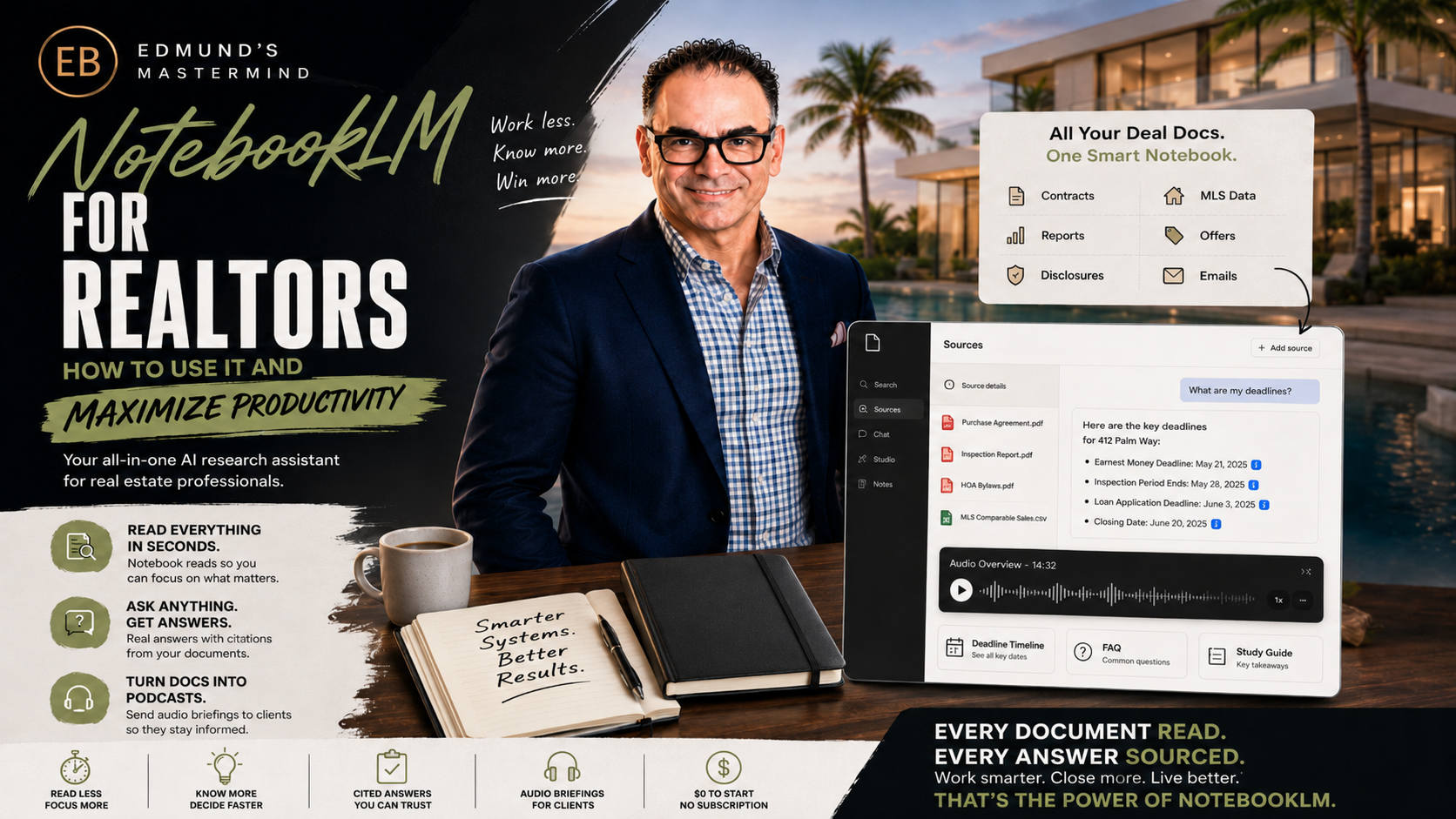
Google's $0 Research Assistant That Reads Every Document So You Don't Have To
Your AI co-pilot for smarter research, better decisions, and more time for clients. Every deal buries you in paper — contracts, inspection reports, HOA packets, market data. NotebookLM is the AI that reads your documents (not the internet), answers your questions with citations you can click and verify, and turns any packet into a podcast you can play in the car. Today you'll learn what it is, how to use it, and leave with your first deal notebook built. Price of admission for the tool: a Google account.
The full August 21 live session — the Research HQ, the Insight Engine, and the Audio Briefing Lab, built live on screen
Four numbers that show why this hour is worth your while
A two-minute introduction for anyone starting from zero
NotebookLM is Google's research assistant that works only from the sources you give it. You create a notebook, drop in documents — PDFs, Google Docs, spreadsheets, website links, even YouTube videos and audio files — and then ask questions in plain English. It answers from your documents, and every answer carries little numbered citations that link to the exact passage it came from. Click the number, see the page, verify it yourself.
That's the key difference from ChatGPT or Claude: a general chatbot knows the internet; NotebookLM knows your deal. It won't invent a clause that isn't in the contract — if the answer isn't in your sources, it says so. For a business that runs on documents, deadlines, and "where does it say that?", this design is exactly right. And it runs in your browser and on your phone, with a Google account, at $0.
| Capability | What It Does | What It Means for an Agent |
|---|---|---|
| 📥 Sources | PDFs, Docs, Sheets, slides, websites, YouTube, audio — up to 50 per notebook | One deal's entire paper trail in one place, questionable in seconds |
| 💬 Chat with citations | Plain-English Q&A, every answer sourced and clickable | "What are my deadlines?" answered with the contract page attached |
| 📝 Briefing doc | One-click structured summary of everything in the notebook | The deal-at-a-glance page you read before any client call |
| ❓ FAQ & study guide | Auto-generates the questions your sources answer | Open-house prep: every question a buyer might ask, pre-answered |
| 🗓 Timeline | Chronological view of events and dates across sources | The transaction's whole schedule assembled from the documents |
| 🧠 Mind map | Visual map of the topics in your sources | See a 200-page HOA packet's structure before diving in |
| 🎧 Audio Overview | Two AI hosts discuss your sources like a podcast — you can steer the focus | The inspection report, listened to on the drive to the showing |
| 🎬 Video Overview | Narrated visual summary of the notebook | A neighborhood-guide explainer produced from your own materials |
| 🔎 Deep Research | Goes out to the web, gathers sources, reports back — then they join your notebook | "What's being built near this listing?" researched and cited |
| 🤝 Sharing | Share a notebook (or just chat access) with others | Your buyer explores the HOA rules themselves — with citations |
| Tier | Price | What You Get | Verdict for Agents |
|---|---|---|---|
| NotebookLM ($0) | $0 — Google account | 100 notebooks · 50 sources each · 50 chats/day · 3 Audio + 3 Video Overviews/day · every core feature | ✅ Everything this workbook teaches — start and probably stay here |
| Plus (Google AI Plus) | $4.99/mo | More sources per notebook, higher daily limits | Only if you hit the daily caps regularly |
| Pro (Google AI Pro) | $19.99/mo | 300 sources, 500 notebooks, 500 chats/day | Teams and heavy daily use |
| Ultra (Google AI Ultra) | $99.99/mo | Highest limits + cinematic video overviews | Not needed for this system |
After the Notion session's billing deep-dive, here's the good news: there is no billing trap this time. The $0 tier includes every feature we use today — the paid tiers only raise the daily limits. Run the system for a month before even thinking about upgrading.
Upload. Organize. Understand. — one notebook per transaction, every answer with its source
A closed transaction easily runs to hundreds of pages — purchase contract and addenda, disclosures, a 40-page inspection report, HOA bylaws and budgets, title commitment, appraisal. Nobody reads it all twice. So answers live in memory ("I think the inspection period is 15 days?") and memory is where deals get hurt.
The Research HQ is a simple habit: the day a deal goes under contract, create a notebook and drop in every document. From that moment, the deal can be interrogated: deadlines, obligations, repair items, HOA rules, what the appraiser flagged. Every answer arrives with a citation — you click it, read the actual passage, and answer your client from the document, not from memory.
NotebookLM cites its sources precisely so you can check them — so check them. Any date, dollar amount, or obligation you're about to act on gets its citation clicked and its passage read. The AI assembles; the licensee verifies. Same rule as every AI tool in this mastermind — this one just makes verifying a one-click habit instead of a document hunt.
Copy-paste into the deal notebook's chat — fill in [ ]
These run inside the deal notebook, against your actual documents. Every answer comes back with citations — click and verify anything you'll act on.
List every date, deadline, and time-bound obligation mentioned anywhere in these sources, in chronological order. For each: what is due, who is responsible, the consequence of missing it stated in the documents, and the source it comes from. Flag any deadlines that appear to conflict between documents.
From the inspection report only: group every finding into three buckets — safety issues, major systems (roof, HVAC, electrical, plumbing, structure), and cosmetic items. For each safety and major item, quote the inspector's exact language and note any recommended specialist evaluation. Then tell me which findings a typical buyer would care most about, and which are routine for a home of this age.
Explain this contract to my [BUYER / SELLER] in plain English, section by section: what they're committing to, the money involved and when it moves, every deadline that applies to them specifically, what happens if either side doesn't perform, and anything unusual compared to a standard residential transaction. Write it so a first-timer understands — I'll review before sharing, and their attorney handles legal questions.
From the HOA documents: summarize everything a buyer would actually care about — pet rules, rental and lease restrictions, parking, approval process and timeline, regular fees and what they cover, special assessments (current or discussed), and reserve-fund health. Quote the exact rule for anything restrictive. What questions should we ask the association that these documents don't answer?
Using the inspection report, draft a focused repair request covering only safety items and major systems — not cosmetics. For each item: the inspector's finding (quoted), the specific ask (repair, replace, or credit), and the report page it comes from. Keep the tone factual and reasonable — this should read like a document the other side can say yes to.
Based on everything in this notebook, what are the 15 questions my [BUYER / SELLER] is most likely to ask about this deal? Answer each one from the sources with citations. Then — separately and clearly — list the important questions these documents do NOT answer, so I know what to chase down before they ask.
Turn information into action — your local data becomes decisions and talking points
Clients don't hire the agent with access to data — everyone has access to data. They hire the agent who can explain it: what this market is doing, what it means for their sale or their search, and why. The Insight Engine is one standing notebook — "My Market Brain" — holding your monthly MLS stats, local market reports, neighborhood guides, and your own past newsletters. Refresh it monthly; question it daily.
Because NotebookLM answers only from your sources, everything it gives you is grounded in your market's numbers — not a national headline from eight months ago. And because your past newsletters are in there, it learns to phrase things the way you already do.
First business day of the month: drop in the new MLS stats, remove anything stale, and run the Market Story question (Prompt 1 in the next card). You leave with your talking points for the month — and the notebook gets smarter every cycle.
Run these in the Market Brain notebook — fill in [ ]
The Market Brain answers from YOUR uploaded data. If the answer feels off, check what's in the notebook — stale sources give stale answers. Refresh monthly.
Using the most recent stats in this notebook: tell the story of the [AREA] market right now in plain English — what's happening with prices, inventory, and days on market, and what changed since the previous period. Then give me: one insight for sellers, one for buyers, and the single number I should lead with this month. Cite the source for each figure.
A client just said: "[OBJECTION — e.g. we should wait for prices to drop / rates are too high / it's a bad time to sell]." Using only the data in this notebook, build my response: what our local numbers actually show, the honest trade-offs of waiting, and one clarifying question I should ask them. No hype — if the data partly supports their concern, say so and show me how to frame it honestly.
I have a listing appointment in [NEIGHBORHOOD] for a [PROPERTY TYPE] the sellers believe is worth [THEIR NUMBER]. From this notebook's data: how does that number sit against current stats for that area? Build my 5-minute market briefing for the appointment — the three charts or numbers I should walk them through, what realistic pricing looks like, and how to open the price conversation without starting a fight.
[RUN AS DEEP RESEARCH:] Research what's changing in and around [NEIGHBORHOOD]: new developments, road and infrastructure projects, school changes, commercial openings and closings, and anything else a buyer or seller would want to know. Compile with sources — then save the report into this notebook so my market answers include it from now on.
From my past newsletters in this notebook: describe my writing voice in five bullets (sentence length, tone, how I open, how I close, phrases I repeat). Then draft this month's market update in that voice, using the newest stats in the notebook — 150 words for email, plus a 3-line version for social. I'll edit before sending.
Audit this notebook: what's the oldest data in here, and which of my sources contradict each other? What market questions am I likely to be asked this month that these sources can't answer well? Give me the shopping list of what to add or refresh, most important first.
Listen, learn, and stay ahead — the feature nobody else is using yet
An Audio Overview takes whatever is in a notebook and turns it into a two-host podcast conversation — natural, surprisingly good, and about 10–20 minutes long. You can steer it ("focus on what a first-time buyer needs to know") before it generates. A Video Overview does the same as a narrated visual summary.
Two audiences make this valuable. You: the 40-page inspection report becomes a briefing you absorb on the drive to the showing — you arrive knowing the property better than anyone in the room. Your clients: almost nobody reads the HOA packet you email them; nearly everyone will listen to a 12-minute podcast about it. Right now, an agent who sends one is the only agent in their market doing it — that's a listing-presentation story worth telling.
Listen before you send. Every generated episode gets a full listen from you first — you're the editor. Frame it honestly when sharing ("my AI research assistant put together an audio summary of the HOA docs — the documents themselves are attached and they're the authority"). The audio is a companion to the documents, never a replacement for them.
Steering instructions for Audio Overviews — fill in [ ]
Paste these into the "customize" box before generating an Audio Overview. The $0 tier includes 3 audio + 3 video generations per day — plan your generations, don't burn them on tests.
Focus on the inspection report. Prioritize safety issues and major systems — roof, HVAC, electrical, plumbing, structure. For each significant finding, mention severity and whether a specialist was recommended. Skip cosmetic items unless costly. End with the five findings most likely to come up in negotiation. Audience: the listing agent preparing for the repair conversation.
Audience: a buyer considering a home in this association, hearing these documents for the first time. Cover in plain language: monthly fees and what they include, pet and rental rules, parking, the approval process, and reserve health. Flag anything restrictive clearly but without alarm. Remind listeners the full documents are the authority and to direct legal questions to their attorney.
Audience: serious buyers who booked a showing at [ADDRESS]. Walk through the property's story from the listing materials: the standout features, the neighborhood and lifestyle, schools and commute facts from the sources, and what makes this home different from others at this price point. Warm and factual — describe the property and area, never who "should" live there. Keep it under 15 minutes.
Audience: homeowners and buyers in [AREA] with no real estate background. Using the newest monthly stats: what happened with prices, inventory, and days on market, what it means for sellers and for buyers, and one thing to watch next month. Conversational, honest about trade-offs, no hype. Target 8–10 minutes.
[ASK IN CHAT, THEN COPY INTO YOUR TEXT/EMAIL:] Write a short message to my client [NAME] introducing the audio briefing I'm sending: what it covers in one line, that my AI research assistant produced it from the actual documents, that the full documents are attached and are the authority, and that I'm happy to walk through anything on a call. Warm, under 80 words, my usual sign-off.
[USE THE STUDY GUIDE / FAQ BUTTONS, THEN ASK:] Generate the FAQ for this listing from all sources, then quiz me: ask me the ten questions a visitor is most likely to ask at the open house, one at a time, and correct my answers from the documents. I want to walk in knowing this property cold.
Four kinds of notebooks run the whole system
| Notebook | What Goes In | What Comes Out | Lifespan |
|---|---|---|---|
| 📁 Deal Notebooks (one per transaction) | Contract, addenda, inspection, appraisal, HOA, title | Deadline sweeps, explainers, repair requests, client Q&A | Contract to closing, then archive |
| 📊 My Market Brain (one, standing) | Monthly MLS stats, reports, neighborhood data, your newsletters | Talking points, objection answers, appointment briefs, Market Minute audio | Forever — refreshed monthly |
| 🏠 Listing Notebooks (one per listing) | Listing sheet, features list, neighborhood guide, school info | Walkthrough podcast, open-house FAQ, buyer study guide | Launch to closing |
| 📚 The Knowledge Base (one, standing) | Contract forms explainers, brokerage playbooks, past mastermind workbooks | "How does this form work?" answers for you and new team members | Forever — grows slowly |
| Caution | The Habit |
|---|---|
| It only knows what you gave it | Stale sources give stale answers — refresh the Market Brain monthly, add deal docs the day they arrive |
| Citations exist to be clicked | Any date, dollar, or obligation you'll act on: click the citation, read the passage |
| Client documents deserve care | Upload what's needed, skip pages with SSNs and bank details when you can — same discretion as any cloud tool |
| It's not your lawyer | Contract explainers are understanding aids — legal questions go to the attorney, every time |
| Daily generation limits ($0 tier) | 3 audio + 3 video per day — generate deliberately, not experimentally |
From "never heard of it" to the best-briefed agent in the room
The tool costs nothing — here's what the habit is worth
Signed today. First deal notebook before I sleep.
I don't skim.
I know.
Every transaction generates hundreds of pages, and for years the industry has run on a quiet compromise: nobody actually reads them all. Answers came from memory, from skimming, from "let me check and get back to you" — and deals were lost in the gap between what the documents said and what anyone remembered they said.
That compromise just expired. The agent with a deal notebook answers the HOA question with the bylaw open on screen. Walks into the listing appointment with the market story and its sources. Sends the buyer a briefing they actually listen to, with the documents attached and every claim checkable. Not because they read faster — because they built a five-minute habit the day the contract was signed.
The tool is $0. The habit is everything. And a year from now, when clients expect their agent to know the file cold, the ones who built the habit in August won't be catching up — they'll be the standard everyone else is measured against.
Every document read. Every answer sourced. Every client briefed.
Spend less time reading. More time leading.
"Because Guessing What's in the Contract is NOT an Option!"
— Edmund Bogen · Edmund's Mastermind · Bogen.ai